Highlights & notes
A whole palette of colours for highlighting, margin notes that stay with the verse, and bookmarks that never get lost. Everything private on your device.
A palette, not a marker
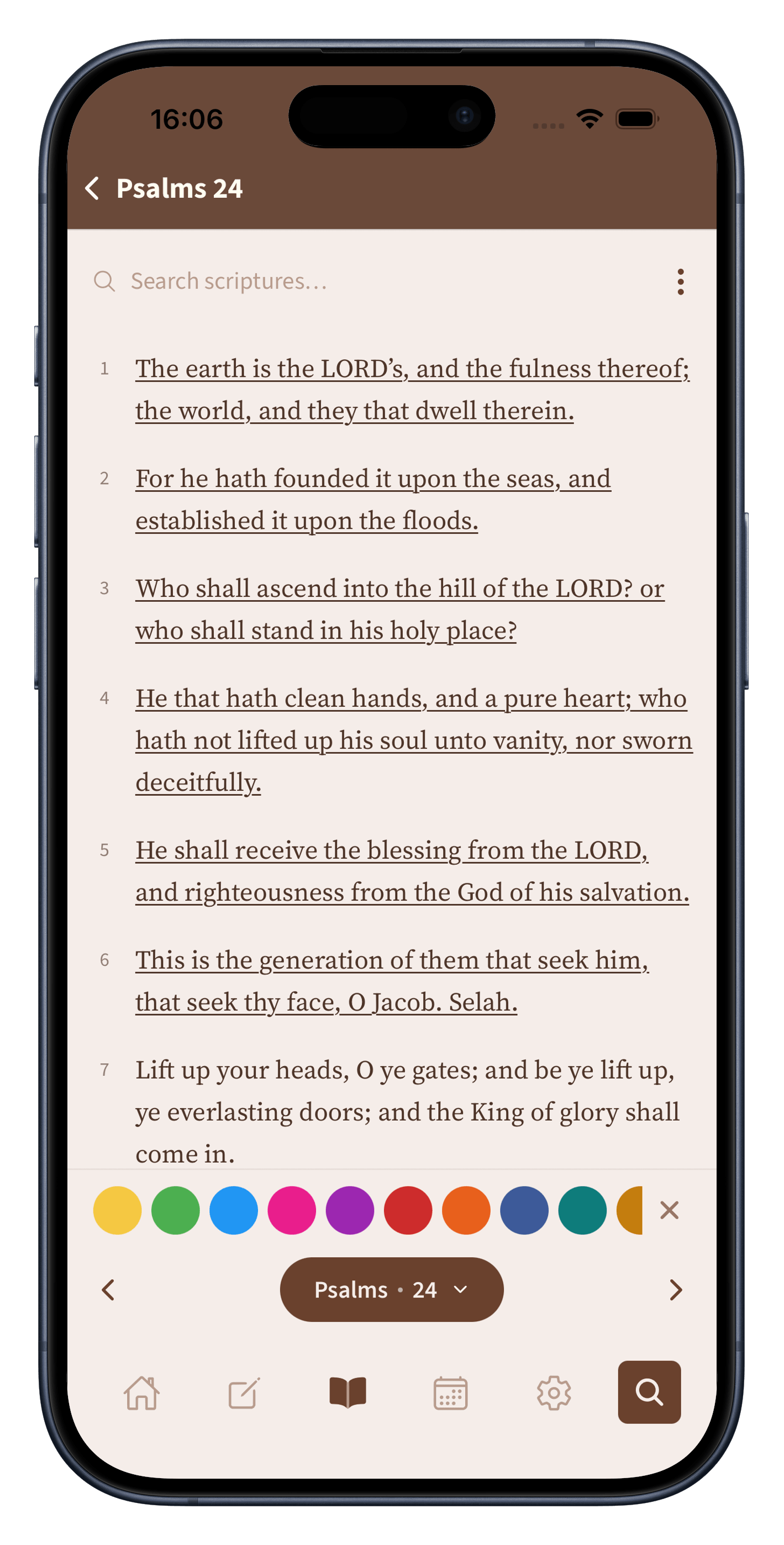
Highlight a verse in any of eleven named colours, each with its own quiet meaning. The set is tuned so the colours stay clear and distinct, with a colour-blind friendly palette built in for readers who need it.
All in one place
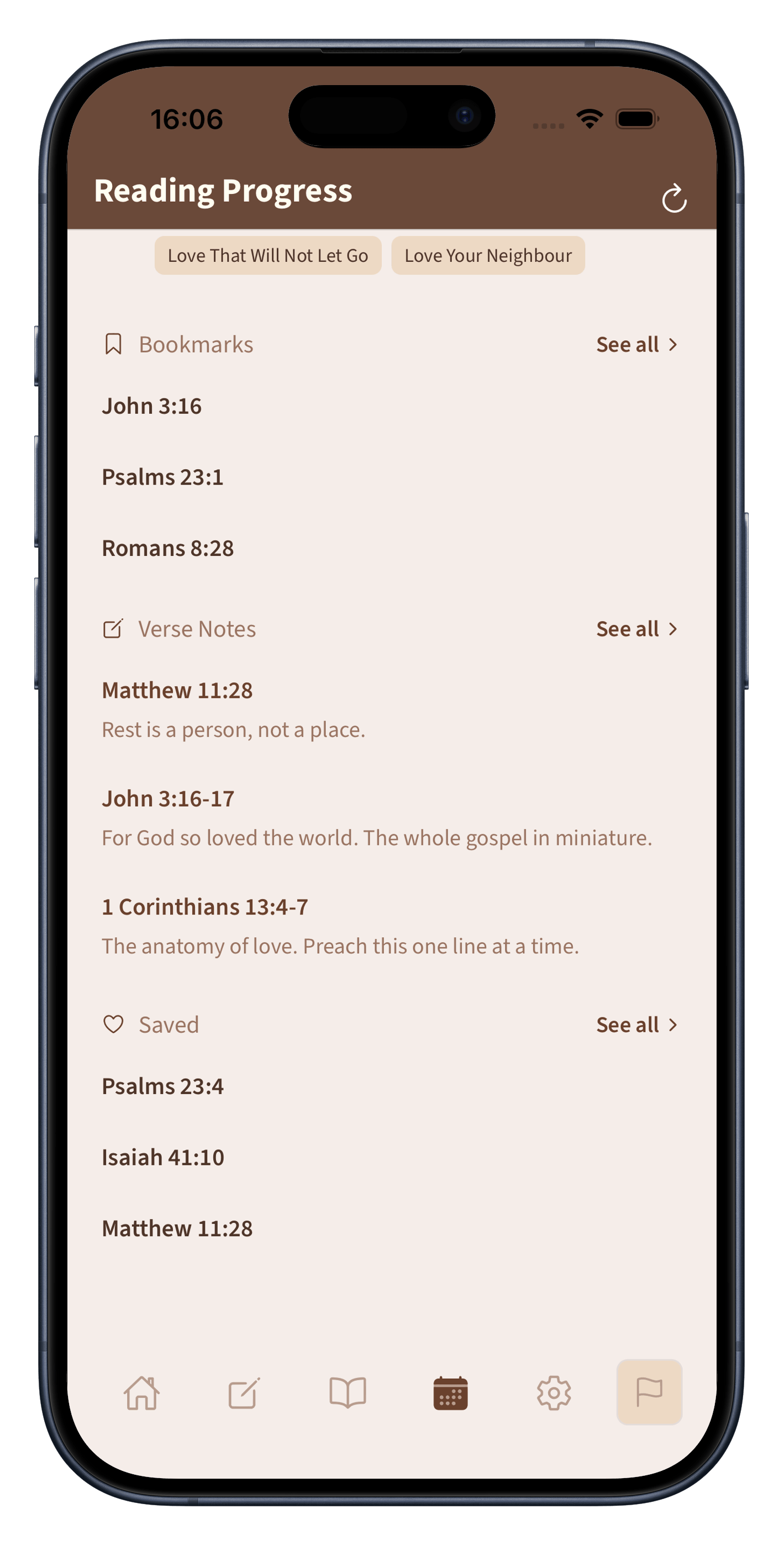
Everything you mark gathers in one calm view, grouped by kind and easy to return to. Tap any entry to jump straight back to the verse where you left it.
Highlighting a verse should feel natural, not like choosing from a spreadsheet. Biblelexical gives you eleven colours, from soft amber and sage to deep plum and rose, all designed to sit comfortably on the page in both light and dark themes. Each colour has been chosen to work for readers with colour vision differences, so the palette is usable by everyone.
There is no wrong way to use them. Some people assign a colour to a theme (green for promises, gold for worship, blue for commands). Others simply pick what feels right in the moment and organise later. The colours are there to serve your reading, not to enforce a system.
Write a thought, a cross-reference you noticed, a question for later: whatever the text stirs in you. The note is anchored to that verse and appears whenever you return to it.
Your notes are private. They live in the same local database as everything else, and nothing is uploaded. If you export a backup, your notes come with it, attached to the verses they belong to.
Open your library to see all your highlights, notes, and bookmarks in one place. Tap any item to jump straight back to the passage.
Biblelexical has no account and no cloud. If you switch phones, you export a backup file and import it on the new device. The backup contains everything, including highlights, notes, bookmarks, sermons, and reading history, in a format you own.
Private by design
No one sees your highlights. No one reads your notes. No algorithm analyses what you bookmark. Everything stays on your phone, and if you delete the app, your data goes with it unless you chose to export a backup first.
A quiet place for the Word, your notes, and your study. Ad-free, with no catch attached.